Cloudflare Pages Frontend
Click
Workers & Pages->Overview->Create Application
Choose
Pages, then selectCreate using direct upload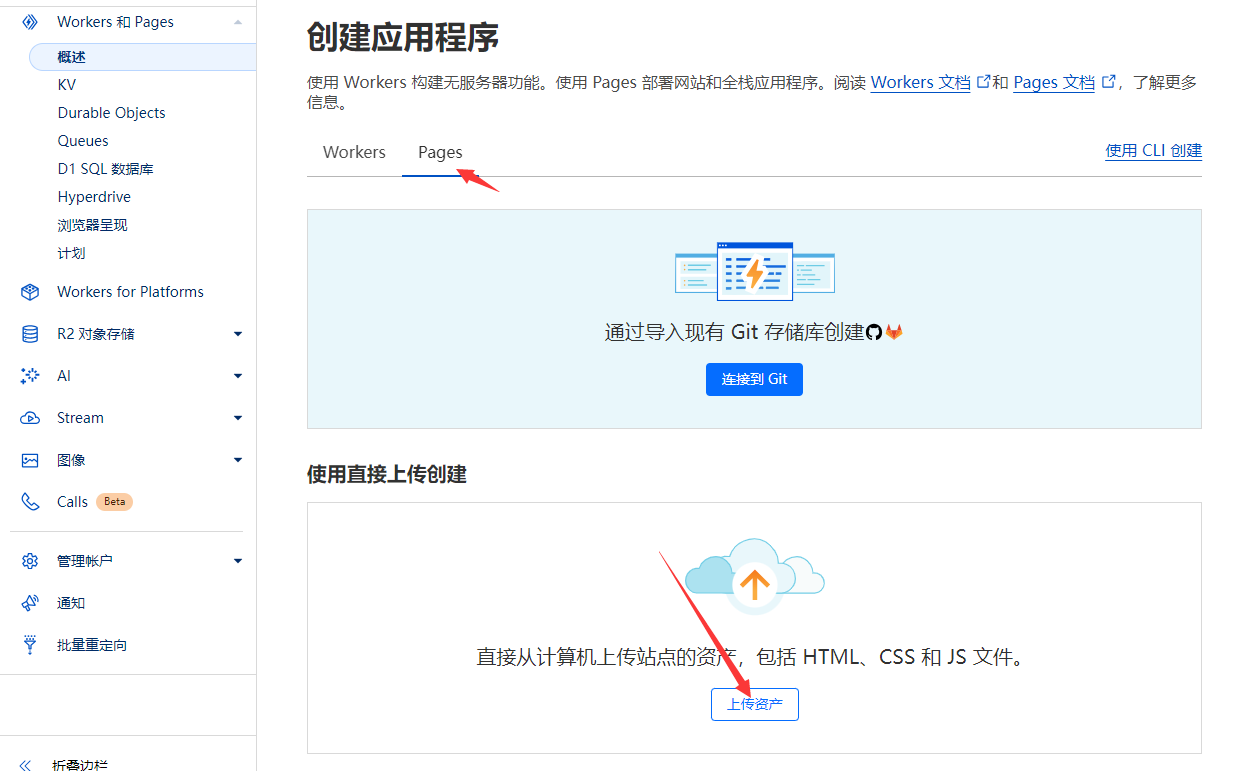
Enter the address of the deployed
worker, ensuring the address does not end with/. Click generate; if successful, a download button will appear and you'll receive azipfile.- Here, the
workerdomain should match the backendapidomain. For example, if my deployment is athttps://cyiapi.lmyself.ggff.net, enterhttps://cyiapi.lmyself.ggff.net. - If your domain is
https://cyiapi.xxx.workers.dev, then inputhttps://cyiapi.xxx.workers.dev.
NOTE
You can also deploy manually. Download the
zipfrom frontend.zip.Modify the
index-xxx.jsfile inside the zip, wherexxis a random string.Search for
https://vimg.100769.xyzand replace it with yourworkeraddress or bound domain, then deploy the newzipfile.- Here, the
Click
Upload assets, modify the name, then clickCreate project. Upload the downloadedzipfile and clickDeploy.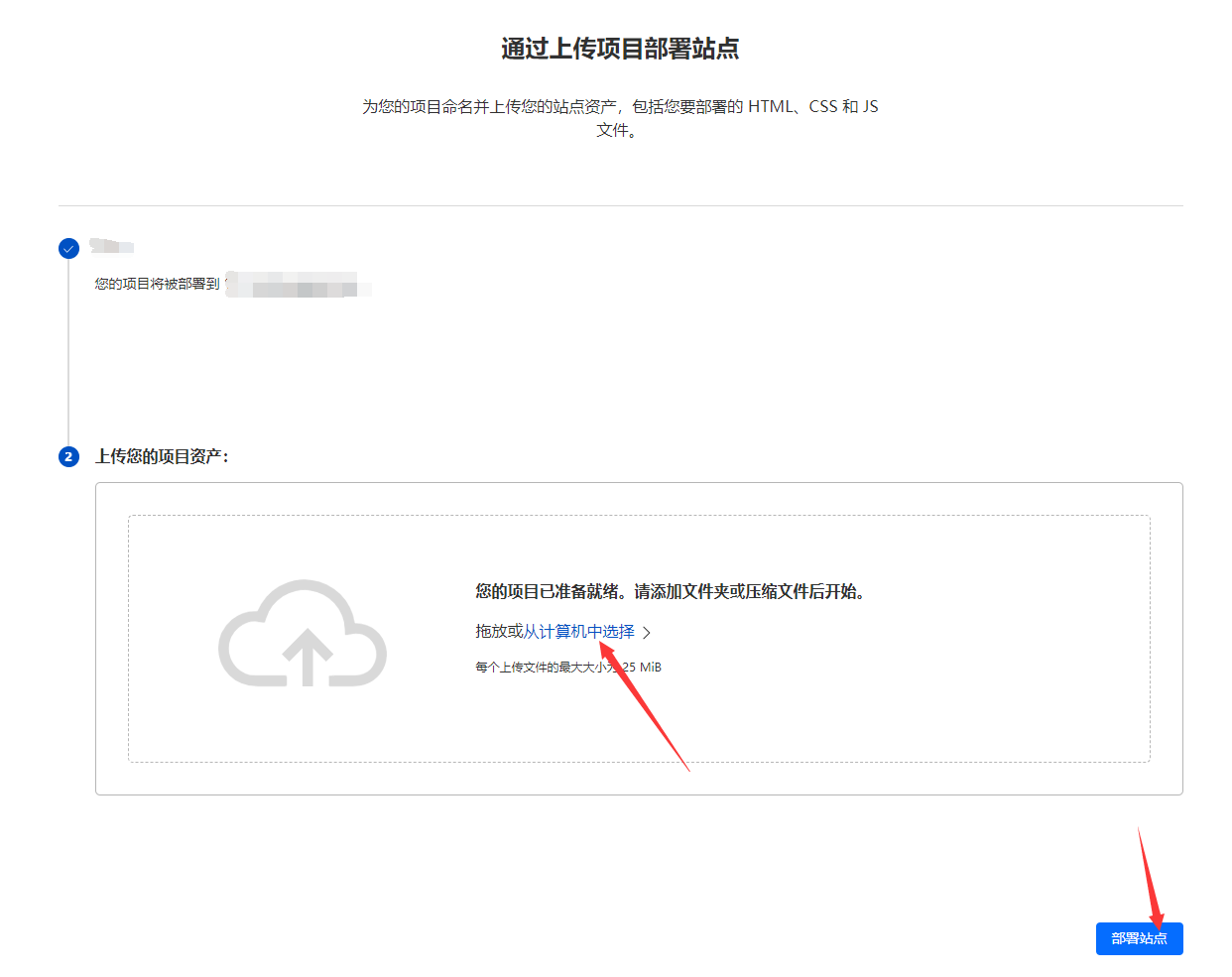
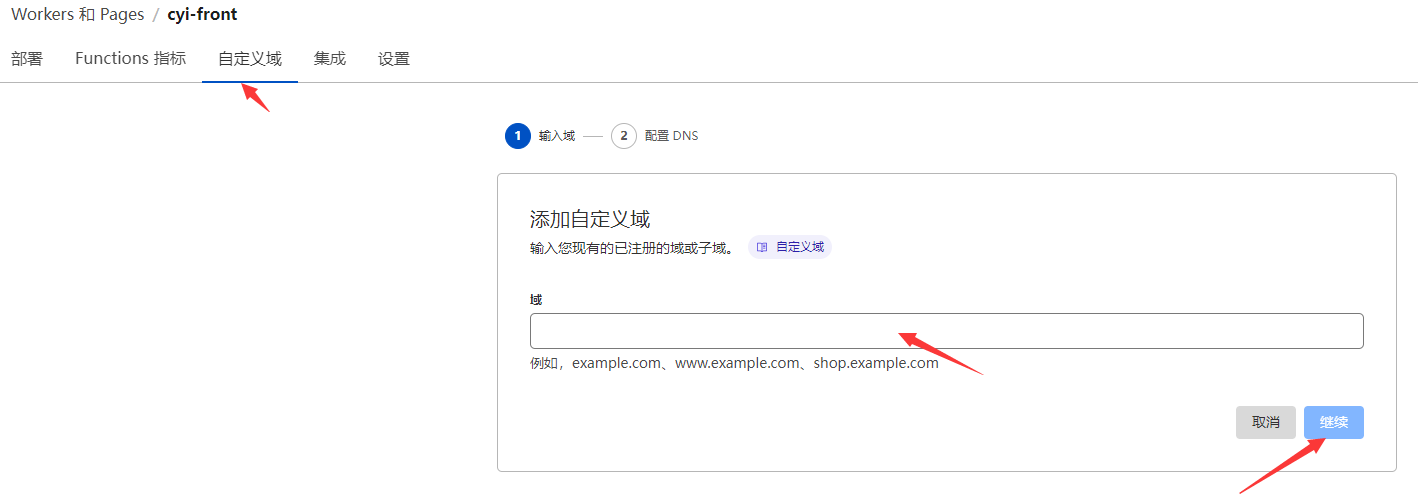
Open the just-deployed
Pages, clickCustom Domain, where you can add your own domain or use the auto-generated*.pages.devdomain. If the domain opens successfully, the deployment is successful.